
Quick answer: If your laser measure will not produce a reading, start with a fresh power source, ordinary single-distance mode, a stable support and a nearby flat wall indoors. If the number looks wrong, check the measurement reference and units before assuming the instrument is defective. Stop relying on it if a controlled comparison still fails.
A blank display, a disappearing dot and an unexpected distance are three different problems. This guide separates them so you can troubleshoot in a sensible order and decide whether an accessory, a different measuring method or manufacturer service is appropriate. It is a research-based troubleshooting guide, not a report of hands-on testing of every model.
Affiliate disclosure: As an Amazon Associate, we earn from qualifying purchases. Walmart links are affiliate links, and we may earn a commission. Prices, sellers and availability can change; compare the exact model and final checkout total.
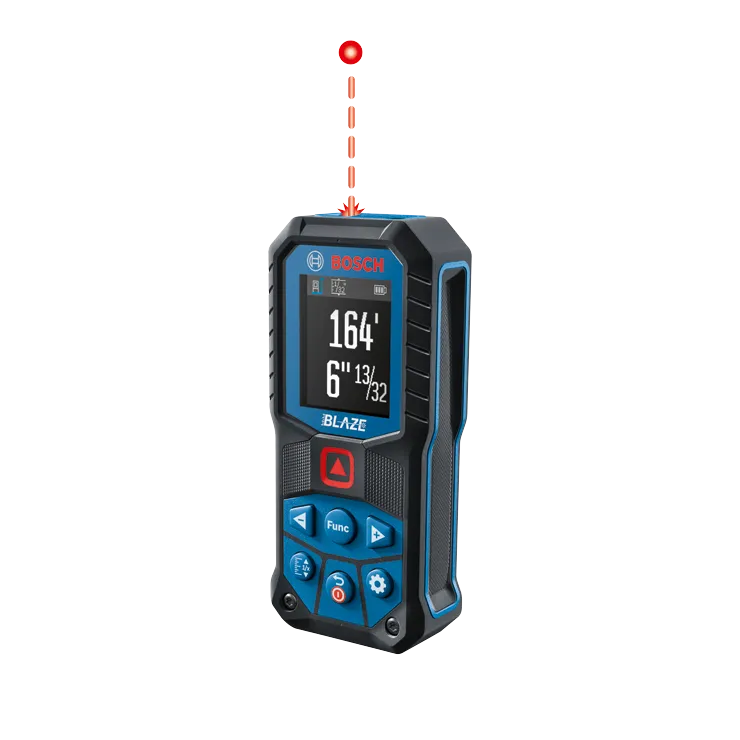
Start with a controlled indoor test
Choose two fixed points that you can identify again, such as a wall face and a solid opposite wall. Clear furniture from the beam path and avoid measuring through a doorway into another room. Rest the instrument firmly and select basic distance measurement. Write down the units and which edge of the instrument is the starting point before pressing the measurement button.
Take three readings without moving the starting point, then compare with a carefully positioned tape measure using the same endpoints. This is a screening check rather than a calibration certificate. A consistent result indoors helps distinguish a difficult target outdoors from a problem that follows the instrument everywhere. Judge the difference against your own model’s manual, not a generic accuracy number from a shopping listing.
Match the symptom to the next check
| Symptom | First check | Next step |
|---|---|---|
| Display stays blank | Battery orientation, charge and contacts | Try an approved fresh power source |
| Dot appears but no distance | Measurement mode and target | Test a nearby matte wall |
| Distance changes repeatedly | Continuous mode and movement | Use single mode on firm support |
| Every result has a similar offset | Front/rear reference | Match the reference to your starting point |
| Works indoors, fails outdoors | Light, distance and target | Shade the target or change method |
| Error code persists indoors | Exact manual and operating conditions | Document the code and contact service |
1. The display will not turn on
Check the simplest power issue first. If your instrument uses replaceable batteries, follow the polarity markings and fit the battery type the manufacturer specifies. Replace a depleted set together rather than mixing old and new cells. For rechargeable models, use the approved charging method and confirm that the charging indication behaves as the manual describes.
Inspect the accessible battery compartment for loose contacts, leakage or obvious damage without dismantling the instrument. Stop using leaking or damaged batteries and follow the manufacturer’s handling instructions. A tool that remains dead with a known-good approved power source needs service diagnosis; repeatedly pressing buttons will not identify a failed internal component.
2. You can see a dot but no measurement
On some instruments, one press activates aiming and another captures the distance. Other modes behave differently. Read the symbols on the screen and try the normal single-distance function before interpreting an aiming dot as proof that the tool has completed a measurement. A visible laser alone does not establish that the receiving system obtained a usable return.
Use a nearby, flat, opaque wall for the next attempt and keep both optical openings unobstructed. Fingers, a case flap or a protective cover may interfere with the path. If the tool can measure that wall, repeat the original task one change at a time. This makes it easier to identify whether distance, target material or the selected mode caused the failure.
3. The number keeps changing
Look for continuous measurement mode. In that mode, an updating distance is expected when the instrument or target moves. Switch to a single reading for a fixed room dimension. Keep your hands away from the optical openings and brace the housing against the same physical stop each time rather than holding it loosely in midair.
If single readings still vary, watch where the dot lands. A small movement near a door frame can move the beam from the frame to a wall beyond it. Establish one unambiguous target and repeat the controlled test. Record the spread between readings; do not select whichever number happens to match the result you wanted.
4. Every reading seems too long or too short
A selected reference edge can explain a repeatable offset. An instrument may support measurement from its front, rear or another model-specific reference point. When its rear touches the starting wall, the setting must correspond to that setup. Changing the setting changes what the displayed distance represents even though the visible dot remains on the same target.
Compare the reference symbol with the diagram in your exact manual. Also check whether an extension piece or accessory requires a separate setting. If the discrepancy stays roughly constant across several different distances, investigate reference selection before replacing the instrument. Do not manually subtract an assumed housing length from every result; correct the setup instead.
5. The units or decimal display look wrong
Confirm whether the display uses meters, decimal feet, inches or feet-and-inches notation. A value in decimal feet is not read in the same way as a feet-and-inches result. Copy the unit symbol along with the number when recording measurements. This avoids a correct reading becoming an incorrect dimension later in a drawing or shopping list.
Check saved measurements as well as the current screen when switching units. If you are measuring for cabinets, flooring or furniture, agree on one unit system before making a cut list. Recheck any dimension that was transferred between an app, a notebook and a calculator; a transcription mistake can survive repeated instrument checks.
6. It works indoors but struggles in sunlight
Treat this as a change in measuring conditions before concluding that the instrument has failed. Bright surroundings and a difficult target can reduce usable performance. Try a shorter distance or shade the target, while keeping the tool and target within the conditions specified for your model. A beam that is difficult to see also makes it harder to confirm exactly what you are measuring.
A manufacturer-compatible target plate can be useful for some tasks, but it does not guarantee the advertised maximum range under every condition. If most of your work is outdoors, choose equipment around the actual sighting and targeting job. For ground paths, a measuring wheel or tape may be more practical; see our laser measure versus measuring wheel guide.
7. Glass, mirrors or shiny metal give strange results
Do not assume a shiny or transparent surface will behave like a painted wall. The target may not return the signal in the way the instrument needs. If possible, establish a suitable opaque target at the actual endpoint and follow your manual’s guidance for target plates. Confirm that the substitute target is at the correct measurement plane.
Avoid using a reading from glass as the sole basis for an expensive custom order. Verify the physical opening with an appropriate second method and account for the installation clearances required by the product supplier. A plausible number is not sufficient evidence that the instrument measured the surface you intended.
8. An error code appears
Record the exact code, model number and task before restarting the instrument. Error numbers are model-dependent; advice for another brand or even a different generation may not apply. Use the troubleshooting section of the correct manual to distinguish a condition you can change from a fault requiring support.
Repeat the simple indoor test only after addressing the documented cause. If the code returns with suitable power, a normal target and an allowed operating temperature, contact the manufacturer or retailer. Keep proof of purchase and photographs of the display. Do not open the optical housing or attempt an undocumented adjustment to clear an error.
9. Readings changed after a drop or temperature change
A tool can still turn on after an impact while no longer being reliable for your task. Inspect it for visible housing damage and repeat a known-distance comparison before using it for important dimensions. If the comparison fails, remove it from measurement work and ask the manufacturer about inspection or repair rather than treating a working display as an accuracy check.
After moving between different environments, allow the instrument to settle as its manual recommends and stay within the listed operating range. Moisture on the optical windows should be addressed using the approved care method. Avoid heating the tool aggressively or using a solvent because it seems like a faster way to restore operation.
10. The distance works but area or height calculations do not
Return to ordinary distance mode and verify each input separately. Area and indirect calculations depend on the dimensions and geometry supplied to them. A successful distance reading does not make an incorrectly aimed multi-step sequence valid. Confirm the mode symbol and follow the illustrated order in the manual.
For an ordinary rectangular floor, measure the intended length and width independently before multiplying. For an indirect height function, follow the model’s positioning requirements instead of guessing the required angles. If a room is irregular, divide it into suitable shapes and document your assumptions. Order materials using the supplier’s waste and installation guidance rather than the displayed area alone.
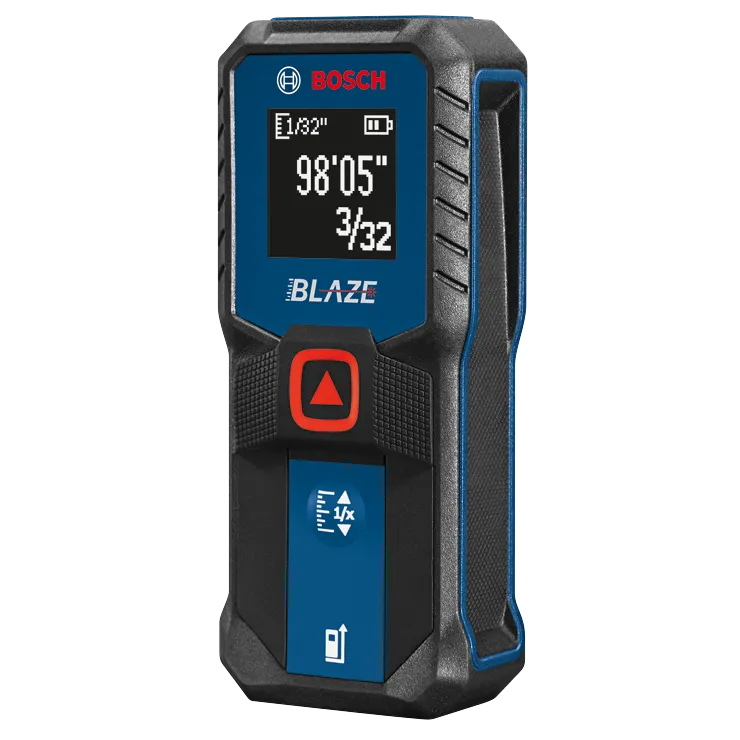
A practical room-measurement workflow
Label the walls in a sketch before collecting dimensions. Measure the first wall from a repeatable starting point, write down the result and unit immediately, then repeat it. Move to the next wall only when both readings describe the same endpoints. Include recesses and openings as separate dimensions rather than assuming that opposite walls or corners are identical.
For example, a sofa fit check needs the available space and the delivery route. A laser distance across the living room does not establish the clearance at a narrow doorway. Use a tape for short physical gaps and awkward edges, and check the furniture manufacturer’s stated dimensions. Choose the tool that can reach and identify the endpoints the decision depends on.
Should you buy an accessory or replace the tool?
Keep the instrument if the issue disappears after correcting the power, reference, units or measurement mode and it passes the controlled comparison. Consider a compatible target accessory when the original target is the obstacle. Seek service when the instrument fails an appropriate check under normal conditions or shows recurring faults that the manual cannot resolve.
Replacement makes sense when the required job falls outside the tool’s supported workflow or when repair is impractical. Compare targeting, readable units, controls, service support and your actual indoor or outdoor use before paying for extra range. Our Bosch GLM100-23 versus GLM165-22 comparison and Leica DISTO D2 versus Bosch GLM165-22 guide explain the buying decisions in more detail.
Amazon versus Walmart: compare the complete purchase
The buttons below open retailer search results rather than a guaranteed exact-product offer. Match the complete model number, kit contents and condition before comparing totals. A carry case, target plate, battery set or different generation can change what is included. Review who sells and ships the item and whether the warranty applies to that seller.
Compare the checkout amount after shipping and tax, together with the return policy. No live price or discount is claimed in this article. If you are replacing a tool because it seems inaccurate, complete the troubleshooting checks first; buying a second instrument will not fix an incorrect reference setting or unsuitable target.
Frequently asked questions
Why does my laser measure switch its beam off?
It may be a normal timeout rather than a fault. Check the model’s operating sequence and automatic shutoff behavior. If the whole instrument loses power unexpectedly, investigate the approved battery or charging checks separately.
Can I reset a laser measure to fix accuracy?
Only use a reset or calibration procedure documented for your exact model. First confirm units, reference edge and endpoints. A reset does not establish that an instrument damaged by an impact is accurate.
Why does my tape measure disagree with the laser?
Check that both tools start and end at the same points. A tape may sag or follow an obstruction, while the laser may hit a different surface. Repeat carefully and compare the result with the model’s specified conditions and tolerance.
Can I use laser viewing glasses as eye protection?
Do not treat viewing glasses as laser safety protection. Follow the safety instructions supplied with the instrument, and never deliberately look into the beam or direct it toward people or animals.
When should I contact the manufacturer?
Contact support for persistent errors, physical damage or a failed controlled comparison after ordinary setup checks. Provide the exact model, code, power source and test conditions so support can investigate the actual symptom.
Sources and editorial approach
Manufacturer guidance consulted on October 25, 2026: Bosch PLR 50 C measuring-process guidance for environmental and target limitations, and the Bosch GLM 30 operating manual for its model-specific accuracy-check and safety instructions. These examples explain common principles; your own model’s manual controls its limits, controls and service procedures.
About Accurate Goods: We publish practical tool buying and troubleshooting guides based on documented features, manufacturer instructions and clear purchase comparisons. This article does not claim laboratory testing, professional calibration or a hands-on review of every instrument shown.
