
Affiliate disclosure: As an Amazon Associate, we earn from qualifying purchases at no extra cost to you.
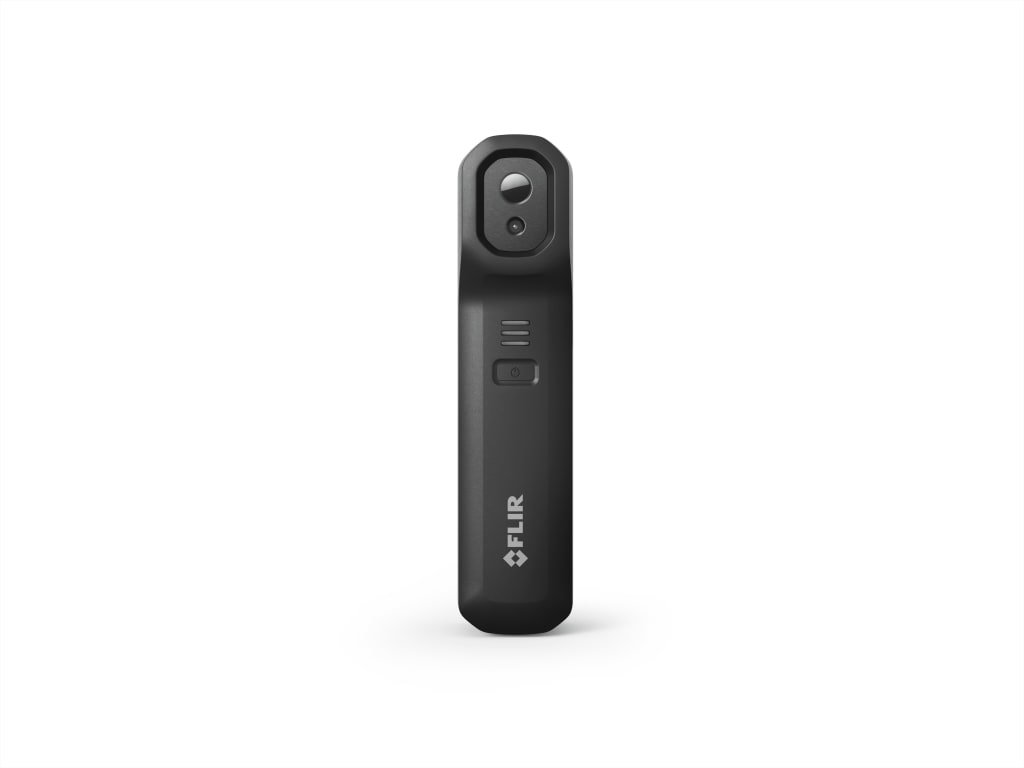
This FLIR Edge Pro vs C5 comparison helps you choose between a wireless phone accessory and a standalone thermal camera. The main decision is how you want to capture and organize inspections. This is a research-based buying guide using FLIR documentation, not a hands-on comparison. Recommendations reflect our editorial judgment; we have not measured image quality, battery runtime or wireless reliability.
Quick verdict: choose the workflow you will actually use
Shortlist the C5 if you want a dedicated tool that keeps inspection work separate from your phone. Shortlist the Edge Pro if you prefer reviewing captures on a compatible mobile device and are comfortable managing that connection. Neither is an automatic image-detail upgrade over the other simply because of its form factor.
These links open Amazon search results. Confirm the exact model, seller, condition and bundle before ordering. We have not verified a live lowest-price offer.
FLIR Edge Pro vs C5 specifications
| Feature | FLIR Edge Pro | FLIR C5 |
|---|---|---|
| Design | Wireless camera using a compatible phone or tablet | Standalone camera with its own touchscreen |
| Native thermal resolution | 160 × 120 | 160 × 120 |
| Manufacturer battery rating | Up to 2.5 hours; phone needs its own charge | 4 hours |
| Temperature coverage | −20 to 120°C and 0 to 400°C ranges | −20 to 400°C |
| Protection rating | IP54; 2 m drop tested | IP54; 2 m drop tested |
| Best reason to shortlist | You want a phone-based inspection workflow | You want a dedicated inspection device |
Specification sources: FLIR Edge Pro product page and FLIR C5 product page, checked November 4, 2026. Ratings are manufacturer claims, not results from AccurateGoods testing. FLIR also identifies the Edge Pro by its former ONE Edge Pro name.
When the Edge Pro makes more sense
Start with a practical question: do you already use your phone to document every job? If so, ask for a demonstration of the complete mobile workflow before buying. Capture a sample, add notes, find the saved file and share it through the method you normally use. A successful pairing alone does not show whether the tool will fit your day.
Our editorial preference would lean toward the Edge Pro for someone who actively wants a phone-based setup. Before placing an order, verify your exact phone and operating-system combination through FLIR’s compatibility information. Also consider workplace restrictions on apps, wireless connections and customer photographs. Personal-device convenience is less useful when your employer cannot approve the workflow.
Include your phone in the charging plan. Decide what happens when it is needed for a call, navigation or another task during an inspection. These are purchasing questions to evaluate in a demonstration, not claims that the camera has connection problems.
When the C5 makes more sense
Our recommendation leans toward the C5 for a buyer who wants an inspection tool with a defined place in the equipment bag. A dedicated device can be easier to plan around when several people share a kit or when you want to keep personal-phone activity separate from job documentation.
Before buying for a team, map out who captures the images, who exports them and where the final report goes. Try that sequence with the accounts and computers you intend to use. Avoid assuming that cloud connectivity automatically satisfies your company’s record-keeping requirements.
Read our FLIR C5 review for the individual buying guide. If you are still deciding whether a standalone model belongs on your shortlist, our C5 vs C3-X comparison covers that alternative.
Does either camera give you more useful image detail?
The identical native pixel count in the table is a reason to compare real sample captures rather than declare a winner from marketing images. It does not establish equal performance in every situation. Ask for examples of targets similar in size to yours, captured from the distance at which you need to work.
Use the same evaluation checklist for both: can you identify the target, distinguish the area of interest and provide a useful record for the next person? Compare the original inspection file as well as a presentation-ready export. A colorful image that looks convincing on a website may not answer your particular inspection question.
If neither demonstration produces the detail your job needs, expand the shortlist before spending. Spending more on a different workflow is poor value when your actual requirement is better target detail.
Battery life and everyday handling
Treat the manufacturer runtime figures as planning inputs. We have not run a controlled battery comparison. For your purchase decision, write down the longest inspection session you expect, the charging opportunities during the day and whether you can pause the job.
Try normal handling before committing: carry the kit, take it out, frame a target and save a result. If gloves or restricted working positions are part of your routine, include them in the demonstration. A tool that feels convenient at a desk may be awkward in your actual work environment.
How to compare prices without buying the wrong bundle
Compare the exact product identity and included accessories first. Then check condition, seller, shipping, tax, warranty eligibility and the return deadline. A cheaper listing can be a different model, an open-box unit or an offer with less useful support.
Set your budget around the full purchase, including any case, reporting software or training you decide you need. Confirm current software terms directly with the provider instead of assuming every reporting feature is included indefinitely. Save the listing and warranty documentation when you order.
For a single household problem, also price a rental or a professional inspection. Ownership makes more sense when you expect repeated use and have a clear plan for interpreting the results.
A useful return-window trial
Prepare three representative tasks before the package arrives. For each task, decide what you need to observe and what file you must keep. Run the same tasks on any equipment you compare, using a consistent viewing distance and documenting the conditions.
Complete the administrative steps too: naming files, adding location notes, backing up work and reopening a saved result. This trial should show whether you can deliver your intended output without repeatedly working around the equipment. Keep the return deadline visible while making that assessment.
Frequently asked questions
Which should I choose for a dedicated inspection kit?
Our editorial shortlist starts with the C5 for someone who specifically wants an independent device. Confirm its capture-to-report workflow before buying.
Should I buy the Edge Pro without checking my phone?
No. Verify exact device and operating-system compatibility with FLIR, then test your intended capture and export process during the return period.
Is the C5 automatically a sharper thermal camera?
Do not make that assumption from the product shape or screen. Compare the native resolution listed above and request representative sample files; we have not conducted an image-quality shootout.
Has AccurateGoods tested these cameras side by side?
No. This comparison distinguishes manufacturer specifications from our buying judgment. It contains no measured accuracy, durability or runtime results.
Final recommendation
Choose the C5 when a dedicated inspection device is your priority. Choose the Edge Pro when you deliberately want a compatible phone-based setup. Read the full Edge Pro review, test the complete workflow and prioritize a seller with clear returns and warranty support.
