
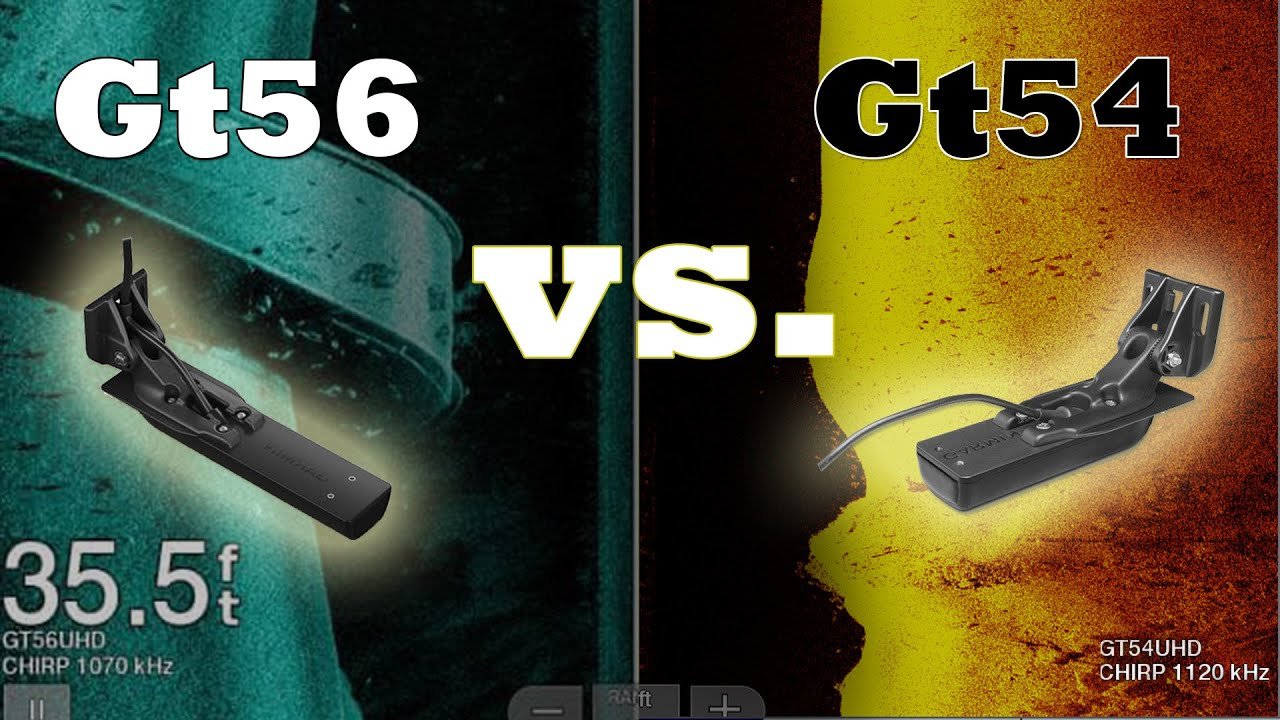
Garmin GT56 Transducer Review: Compatibility, Performance, and GT54 Comparison
The Garmin GT56UHD-TM is a capable all-in-one transom-mount transducer for anglers who want traditional CHIRP plus ClearVü and SideVü in one package. Its three scanning ranges—455, 800, and 1000 kHz—let you trade range for detail as water depth and fishing conditions change.
Product availability can change. Confirm your chartplotter model and connector before ordering.
Affiliate disclosure: AccurateGoods may earn a commission from qualifying purchases made through links on this page, at no extra cost to you.
Quick verdict
The GT56UHD-TM is worth considering if you have a compatible Garmin UHD-capable chartplotter and want flexible scanning sonar from shallow structure work to wider searches. Its strongest advantage over simpler transducers is the choice of 455, 800, and 1000 kHz ClearVü/SideVü scanning. The tradeoffs are a relatively large transom-mounted housing, careful installation requirements, and no guarantee that it will plug directly into every Garmin display.
Best for: freshwater and inshore anglers using compatible ECHOMAP or GPSMAP hardware who want one transducer for high-wide CHIRP, ClearVü, SideVü, depth, and temperature.
Garmin GT56UHD-TM specifications
The specifications below apply to the GT56UHD-TM transom-mount model. They should not be confused with the GT56 thru-hull or trolling-motor variants.
| Specification | Garmin GT56UHD-TM |
|---|---|
| Traditional sonar | High-wide CHIRP, approximately 150–240 kHz |
| ClearVü / SideVü scanning | 455, 800, and 1000 kHz ranges |
| Transmit power | Traditional: 350 W; ClearVü/SideVü: up to 500 W |
| Rated maximum depth/range | Traditional: 800 ft; ClearVü: up to 400 ft; SideVü: up to 500 ft, depending on frequency and conditions |
| Connector | 12-pin |
| Cable length | 25 ft |
| Sensors | Depth and water temperature |
| Transom-angle support | 0°–70° |
| Body dimensions, without mount | About 218.5 × 51.8 × 27.7 mm (8.6 × 2.0 × 1.1 in) |
| Typical included mounts | Transom mount and trolling-motor mount; verify the current package contents |
Depth and side range are not guaranteed operating results. Bottom composition, salinity, turbulence, installation, boat speed, frequency, and chartplotter settings all affect sonar performance.
What the three scanning frequencies actually do
455 kHz: range first
Use the lower scanning frequency when you want broader coverage or better reach in deeper water. The image is normally less fine than the highest-frequency view, but it is useful for finding structure before making a closer pass.
800 kHz: balanced view
This is the practical middle setting for many anglers. It balances detail and usable range, making it a sensible starting point when conditions do not clearly favor either extreme.
1000 kHz: maximum detail
The 1 MHz setting can produce the sharpest scanning view at shorter distances. It is best suited to examining nearby structure and targets rather than searching the widest possible area.
High-wide CHIRP: fish and bottom
Traditional CHIRP handles the familiar sonar view beneath the boat. It helps with target separation, bottom tracking, and fish arches while ClearVü and SideVü provide picture-like structure views.
Image quality and on-water performance
The GT56’s appeal is versatility rather than one magic setting. In clean water with a level installation, SideVü can help reveal weed edges, rock piles, timber, drop-offs, docks, and other structure to either side of the boat. ClearVü provides a narrower picture-like view below the hull, while traditional CHIRP remains useful for fish arches and bottom returns.
Higher frequency does not automatically mean “better” in every situation. The 1000 kHz range favors fine detail but loses practical reach sooner. The 455 kHz range reaches farther but presents less fine separation. Water depth, mounting height, transducer angle, sensitivity, interference, and boat speed can matter as much as the selected frequency.
For the cleanest scan, keep the transducer in smooth water and away from strakes, rivets, steps, propeller turbulence, and other sources of aerated water. A poor mounting position can cause dropouts or streaking even when the transducer and chartplotter are working correctly.
Will the GT56 work with an ECHOMAP 93sv?
Yes, many ECHOMAP UHD 93sv configurations support the GT56UHD-TM. In fact, Garmin has sold selected 9-inch ECHOMAP UHD/UHD2 sv bundles with a GT56. The old claim that the GT56 cannot work with a 93sv because it is a 50/200 kHz, 8-pin model is incorrect: the GT56UHD-TM uses a 12-pin connection and high-wide CHIRP plus 455/800/1000 kHz scanning ranges.
However, “93sv” has been used across different ECHOMAP generations and regional variants. Do not buy only by screen size or the 93sv name. Check the exact model number, sonar-port type, current Garmin UHD compatibility chart, and whether an adapter or sonar module is required.
Garmin GT54 vs GT56: which is better?
| Decision factor | GT54UHD-TM | GT56UHD-TM |
|---|---|---|
| Traditional sonar | High-wide CHIRP | High-wide CHIRP |
| Scanning choices | Fewer frequency options; designed around UHD detail and extended-range SideVü | 455, 800, and 1000 kHz scanning flexibility |
| Best reason to choose | It is bundled with your compatible unit or meets your normal depth/range needs | You want more control over the range-versus-detail tradeoff |
| Installation | Transom/trolling-motor options | Transom/trolling-motor options; larger body requires careful placement |
| Best overall fit | Value-focused compatible Garmin setups | Anglers who will actively use multiple scanning frequencies |
The GT56 is not automatically a worthwhile upgrade for every owner. If your GT54 already provides clean images at the depths and ranges you fish, upgrading may produce less practical benefit than improving the mounting position and sonar settings. Choose the GT56 when its additional scanning-frequency flexibility solves a real need.
Who should buy it—and who should skip it?
Buy the GT56 if you…
- Own a confirmed compatible Garmin display.
- Want CHIRP, ClearVü, and SideVü from one transducer.
- Fish both shallow structure and deeper or wider search areas.
- Will use 455, 800, and 1000 kHz settings deliberately.
- Can mount it in clean, undisturbed water.
Consider another option if you…
- Have not verified the exact chartplotter and connector.
- Mainly need basic depth and fish arches.
- Run at high speed and expect perfect SideVü images.
- Cannot place the larger housing away from turbulence.
- Already get satisfactory results from a GT54.
Installation points that affect performance
- Confirm the model first. Match the GT56 variant and 12-pin connection to the chartplotter or approved sonar module.
- Choose smooth water. Avoid mounting behind hull steps, strakes, rivets, intakes, or other fittings that create bubbles.
- Keep the SideVü beams clear. The lower unit, trailer hardware, or hull should not block the side-looking beams.
- Level it at normal running attitude. The boat’s position in the water matters more than how level the transducer looks while the boat sits on a trailer.
- Route and secure the cable safely. Do not cut the transducer cable or run it where it can be crushed, pulled, or exposed to propeller damage.
- Test before final sealing. Confirm bottom tracking and scanning quality at typical fishing speeds, then make small angle or height adjustments if needed.
Common GT56 problems and quick checks
Bottom disappears at speed
Look for turbulence, excessive mounting height, or an incorrect angle. Scanning sonar normally performs best at slower survey speeds.
One SideVü side looks weak
Check whether the hull, motor, jack plate, or another object blocks that side of the beam. Confirm that the transducer is level.
Image is noisy or streaked
Reduce excessive gain, check electrical routing, and test at a lower boat speed. Aerated water is a common cause.
Unsupported transducer message
Verify the display software, selected transducer type, connector, adapter, and Garmin compatibility list. Do not assume every 12-pin unit is fully supported.
Final verdict
The Garmin GT56UHD-TM is a strong upgrade for a compatible Garmin sonar system when you will use its three scanning frequency ranges. It combines high-wide traditional CHIRP, ClearVü, SideVü, depth, and temperature in one transom-mount package. Its best use is structure-oriented fishing where the ability to switch between wider coverage and finer detail matters.
Before buying, verify the exact display model and plan the mounting location. A correct installation and sensible frequency selection will influence real-world results more than the specifications alone.
Frequently asked questions
Is the Garmin GT56 a 50/200 kHz transducer?
No. The GT56UHD-TM uses high-wide traditional CHIRP around 150–240 kHz and 455, 800, and 1000 kHz ranges for ClearVü and SideVü scanning sonar.
Does the GT56 work with the Garmin ECHOMAP UHD 93sv?
Many ECHOMAP UHD 93sv units support it, and some were offered in GT56 bundles. Because Garmin has several generations and regional models, verify the exact part number on Garmin’s current UHD compatibility chart.
How deep can the GT56 read?
Garmin rates traditional sonar to about 800 feet, ClearVü to about 400 feet, and SideVü range to about 500 feet under suitable conditions. Actual performance varies with frequency, water, bottom type, mounting, and chartplotter settings.
Is 1000 kHz always better than 455 kHz?
No. The 1000 kHz setting favors fine detail over shorter distances, while 455 kHz generally provides longer reach and broader search coverage. Use the frequency that matches the depth and range you need.
Can Garmin transducers be interchanged?
Only when the chartplotter, sonar capabilities, connector, software, and approved adapters are compatible. Brand name or pin count alone is not enough; consult Garmin’s compatibility documentation.
Is the GT56 better than the GT54?
The GT56 offers more scanning-frequency flexibility. It is the better choice when those additional ranges solve a real need, but a properly installed GT54 may be entirely adequate for many anglers.
Research sources
This review is based on manufacturer documentation rather than a claim of hands-on testing.
